
DOT Compliance Tasks and Calendar
See what is overdue, who is handling it and what comes next. Pro connects the task board and compliance calendar to your inspections, drivers, vehicles and documents.
Keep track of inspections and deadlines.
Basic $19/month or Pro $49/month.
See what needs doing and who is responsible.
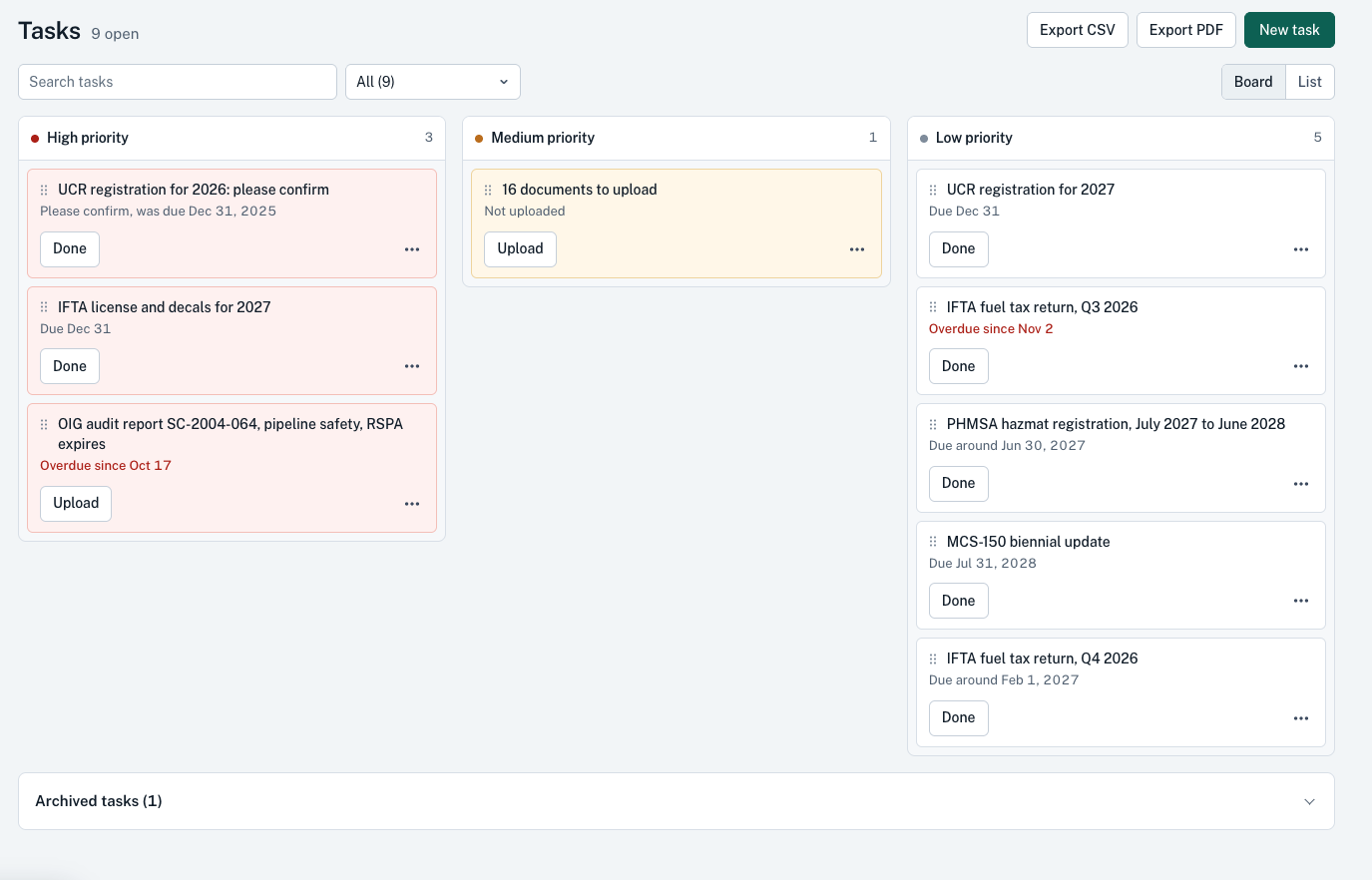
Pro includes the task board, list view and compliance calendar. Add company users, record what needs doing and keep the inspection or document with the task.
Mark a task high, medium or low priority and check which jobs are overdue. Download the list as a spreadsheet or PDF if you need to share it.
Assign the job and set a due date.
Give the job a clear name, assign it and add the relevant date. Attach the report or document so the person doing the work has the information they need.
A repair request, a missing driver document and a registration update can all be tracked in the same place. You can review the open work without assembling updates from several inboxes.
Choose a task board or a list.
The board groups tasks by priority and shows the outstanding items in each column. Switch to the list when you want to search, filter or work through individual entries.
Open the task for its notes and supporting files. When the work is done, save the evidence and mark it complete. The history remains there if you need to explain what was done later.
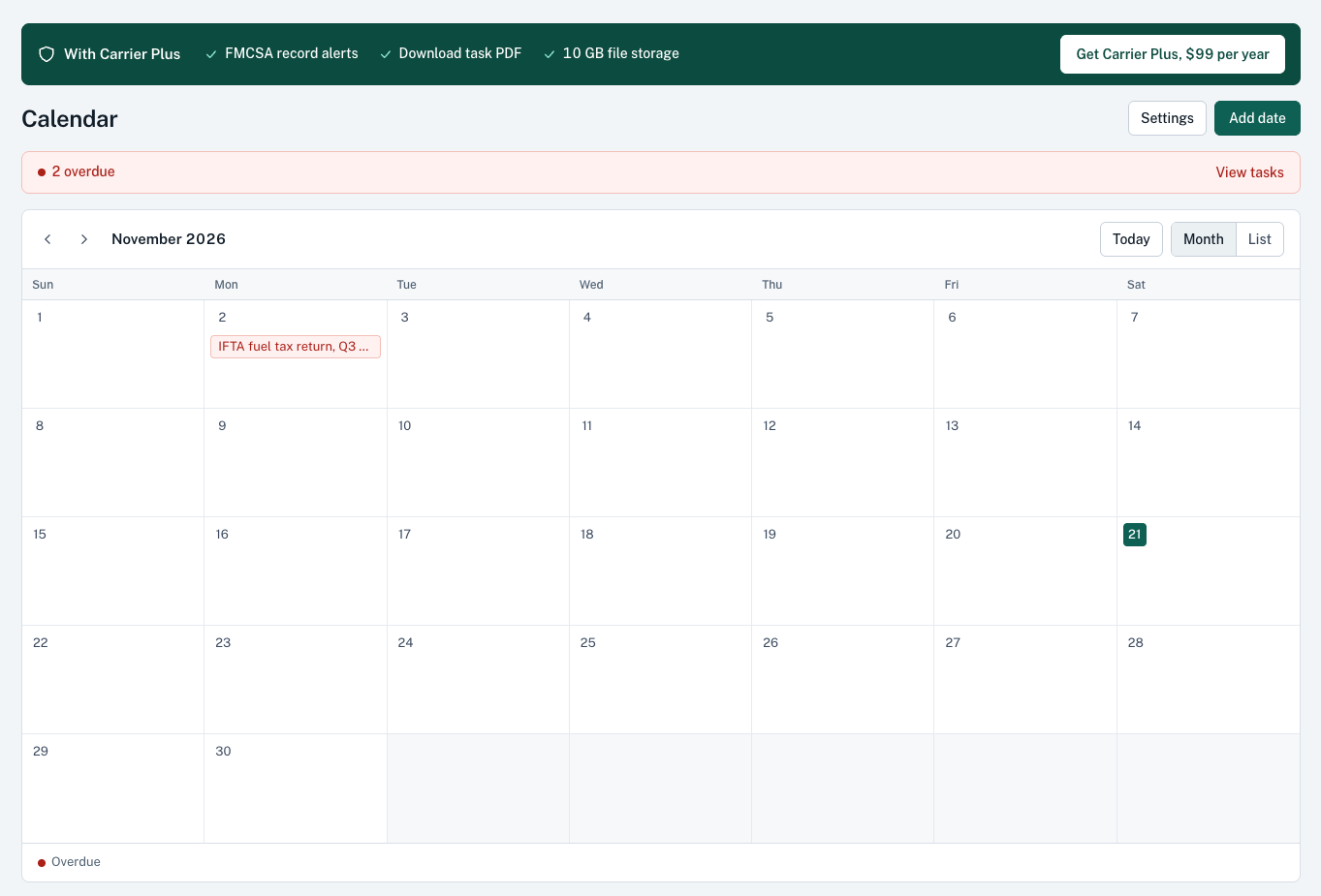
Put due dates on the calendar.
See document renewals, registration dates and follow-up work by month. Overdue items stay visible, and the calendar links back to the related task.
Add dates from the document or official notice. That keeps an agency response deadline separate from your own reminder to chase a missing file.
- Review overdue tasks.
- Check the coming week’s dates.
- Assign new inspection and document work.
- Close completed jobs with their supporting files.
Create a task after an inspection.
Basic emails you when your FMCSA record changes. With Pro, you can also create a repair or paperwork task and upload the inspection report.
If you are unsure about a violation, click Get help on the inspection. Send your question with the report and check your account for the specialist’s reply.
Review the fleet’s work without reopening every file.
Check which jobs are urgent, when they are due and whether they are finished. If someone else takes over a task, they can read the notes and documents already attached.
The violation countdown also shows when an inspection will count less toward SMS. Those dates are separate from repair deadlines and paperwork due dates.
Official sources
Reviewed November 21, 2026.
Questions and answers
Can I add my own dates?
Yes. Add a date and identify the document or job it belongs to.
Can I change between board and list?
Yes. Both views show your tasks. You can search and filter the list to find a particular job.
What happens to a completed task?
Its completion status and supporting history remain available for later review.
Related guides and tools

DOT Inspection Alerts and CSA Monitoring
Get email alerts when your FMCSA record changes. Read inspection reports and violation explanations with Basic, or add Atlas and inspection PDFs with Pro.
Read more
Trucking Document Management
Save inspection reports, insurance certificates and driver documents. Use Atlas to scan paperwork and send brokers or auditors the files they need.
Read more
MCS-150 Updates and Due Dates
Check your MCS-150 filing date, the current FMCSA Motus transition notice and the company information you need before updating your USDOT registration.
Read moreSee your inspection alerts.
Basic $19/month or Pro $49/month. Cancel anytime.